Launching a Tutorial Blog from Zero: Custom WordPress for Non-Technical Creators
Rol Torralba
November 28, 2024
7 min read
A client with no technical background wanted to launch an educational tutorial blog. Custom WordPress, thoughtful design, and ongoing support made it possible.
I worked with a client who had no technical background but wanted to launch a beginner-friendly website tutorial blog. They understood their subject deeply, teaching others about web development fundamentals, but they needed someone to handle all the technical heavy lifting. The challenge wasn't building a feature-rich application. It was creating a simple, intuitive platform that they could manage independently while looking professional enough to attract serious students. I built a custom WordPress theme designed specifically for tutorial content, paired it with professional hosting and infrastructure, and provided ongoing support and training.
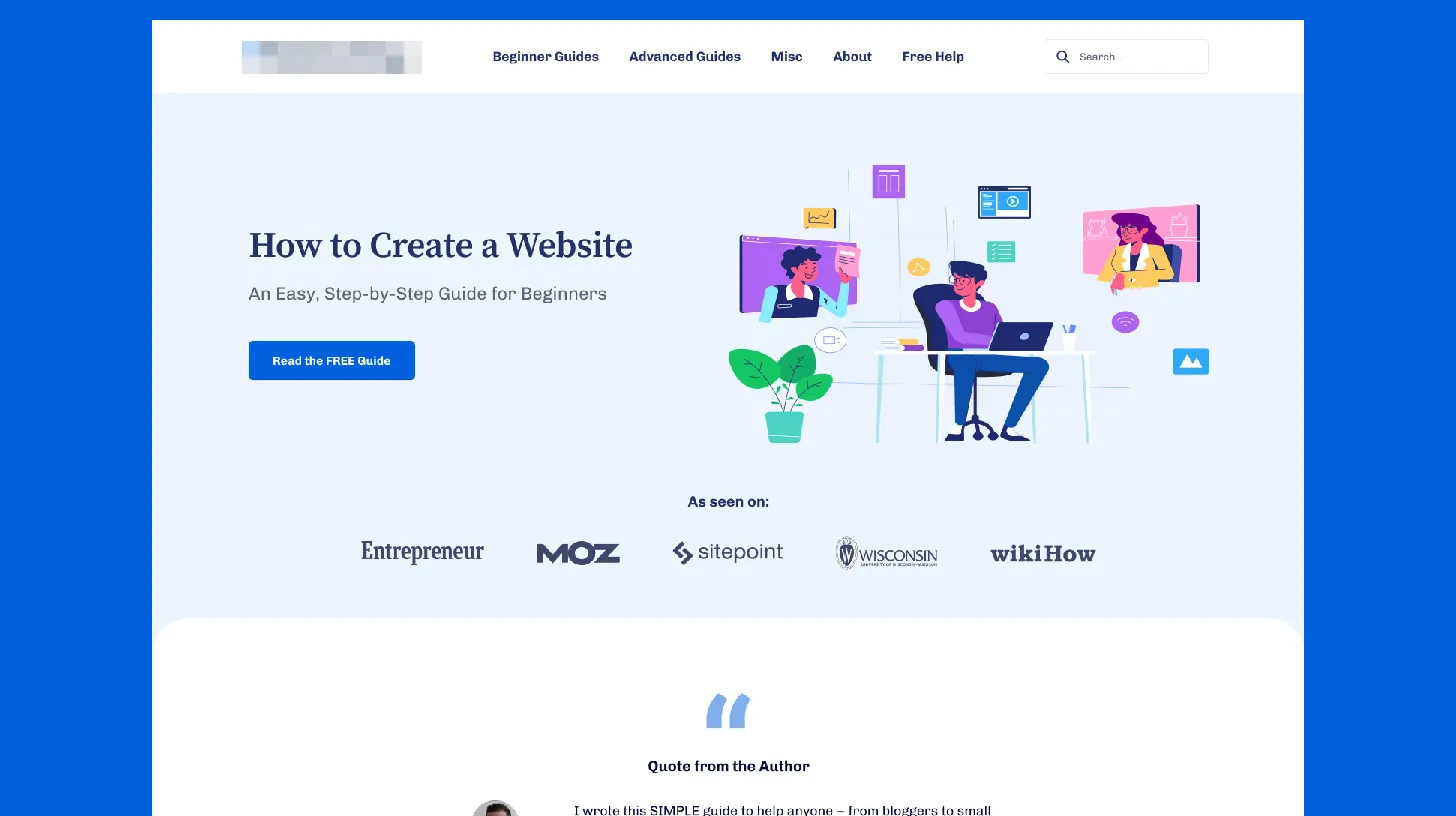
✅ Key Takeaway: Non-technical expertise is an asset, not a liability, when building platforms. Content creators shouldn't compromise on professional design or functionality just to avoid technical complexity.
When I first spoke with my client, the scope was clear. They're an expert in teaching web development fundamentals but have zero interest in learning HTML, CSS, or server administration. At the same time, their business success depended entirely on having a platform that worked reliably and looked professional.
My client had no technical experience. This was the core constraint. They understood website tutorials deeply but couldn't troubleshoot a plugin conflict or diagnose a server issue. They needed a platform that was bulletproof, one that didn't break unexpectedly and didn't require technical knowledge to operate.
Generic WordPress themes weren't going to cut it. There were plenty of free and paid themes available, but they looked generic. My client was trying to establish credibility with beginners and intermediate students, and using a standard, widely-available theme would have undermined their positioning. Students comparing my client's site to competitors needed evidence that they were learning from someone who actually understood web design and development. A polished, unique design was non-negotiable.
Content management needed to be intuitive. My client needed to publish tutorials, manage a student roster, collect email addresses for a mailing list, and handle basic administrative tasks. I knew that complex systems with dozens of options would be overwhelming. The platform needed to make the common tasks obvious and the uncommon tasks non-existent.
Server administration was completely off the table. My client didn't want to learn about hosting, domains, backups, or security. They wanted to focus entirely on creating content. Any technical responsibilities would distract from their core business.
Credibility was paramount. A tutorial blog about websites needs to be visually polished and functionally reliable. If the site crashed, loaded slowly, or looked outdated, students would lose confidence in my client's expertise. First impressions matter enormously.
I designed a complete package: a custom WordPress theme built specifically for tutorial content, professional hosting setup, and ongoing maintenance support.
I built the custom theme with my client's workflow in mind. Rather than offering dozens of configuration options, I focused the theme on what actually mattered: publishing tutorials in a consistent format, and making navigation intuitive for students. The design is clean and professional, conveying expertise without unnecessary complexity.
Tutorial formatting is built into the theme's core. Each tutorial supports text, images, and code blocks. I created a custom post type that keeps tutorials organized separately from other content and allows them to be categorized by skill level (beginner, intermediate, advanced) or topic.
Mobile optimization was foundational. Many students access tutorials on phones or tablets while working on computers. I designed the theme mobile-first, ensuring tutorials are readable and accessible on any device. Videos embed properly, code blocks don't overflow, and navigation remains functional on small screens.
Search engine optimization is built into the theme. Each tutorial includes fields for SEO optimization: meta descriptions, structured data markup, readability checks. My client doesn't need to understand SEO deeply; the theme guides them toward best practices automatically.
I handled all hosting and infrastructure. My client never had to touch a server, never saw a cPanel, never worried about backups. That's all handled professionally in the background. Regular backups, security monitoring, performance optimization, and uptime monitoring happen automatically.
I provide ongoing support. My client has a direct contact (me) for questions, bug reports, and feature requests. When WordPress updates need to be applied, that happens automatically. When performance issues arise, I diagnose and fix them proactively. They can focus entirely on content creation.
The launch went smoothly, and the site became the foundation for a thriving educational business.
Engagement exceeded what we anticipated. The intuitive platform made it easy for users to find tutorials by topic or skill level. Clear course structures and learning paths guided beginners through foundational concepts before advanced topics. Time on site increased, and bounce rates dropped compared to my client's previous landing pages.
Credibility built momentum immediately. The polished, professional design communicated expertise clearly. Students felt confident that they were learning from someone who understood web design and development. This credibility became the foundation.
Platform reliability has been perfect. The site has never gone down unexpectedly. Regular backups keep content safe. Security monitoring prevents hacks or data loss. Performance remains consistently fast even as the site has grown. My client can confidently promote the site knowing it works reliably when traffic arrives.
Business scalability improved immediately. Because my client isn't spending time on technical support or platform troubleshooting, they can focus entirely on growing the business. When they wanted to integrate with new tools or services, I handled technical integration.
Cost effectiveness is excellent. The upfront investment in custom theme development and setup was reasonable. The ongoing monthly support fee is far cheaper than hiring a part-time developer or managing a generic platform with ongoing issues. My client has predictable costs and zero surprise technical bills.
This project illustrates the power of specialized platforms for specialized use cases. Content creators shouldn't need technical skills to manage their platforms, and they shouldn't have to compromise on design or professionalism to avoid technical complexity. By building a custom WordPress theme specifically designed for tutorial content, pairing it with professional hosting and support, and investing in client training, I created a platform where my non-technical client could thrive. This model works across numerous content-based businesses: educational blogs, portfolios, and subscription sites. The key insight I've learned is that non-technical expertise is actually a strength. When building platforms for non-technical users, their perspective on what's intuitive and what's confusing is invaluable. The result is a platform that works beautifully for both my client managing it and the students using it.
Find out what's slowing your site down, where the security gaps are, and what you can improve. Takes 30 seconds to request.
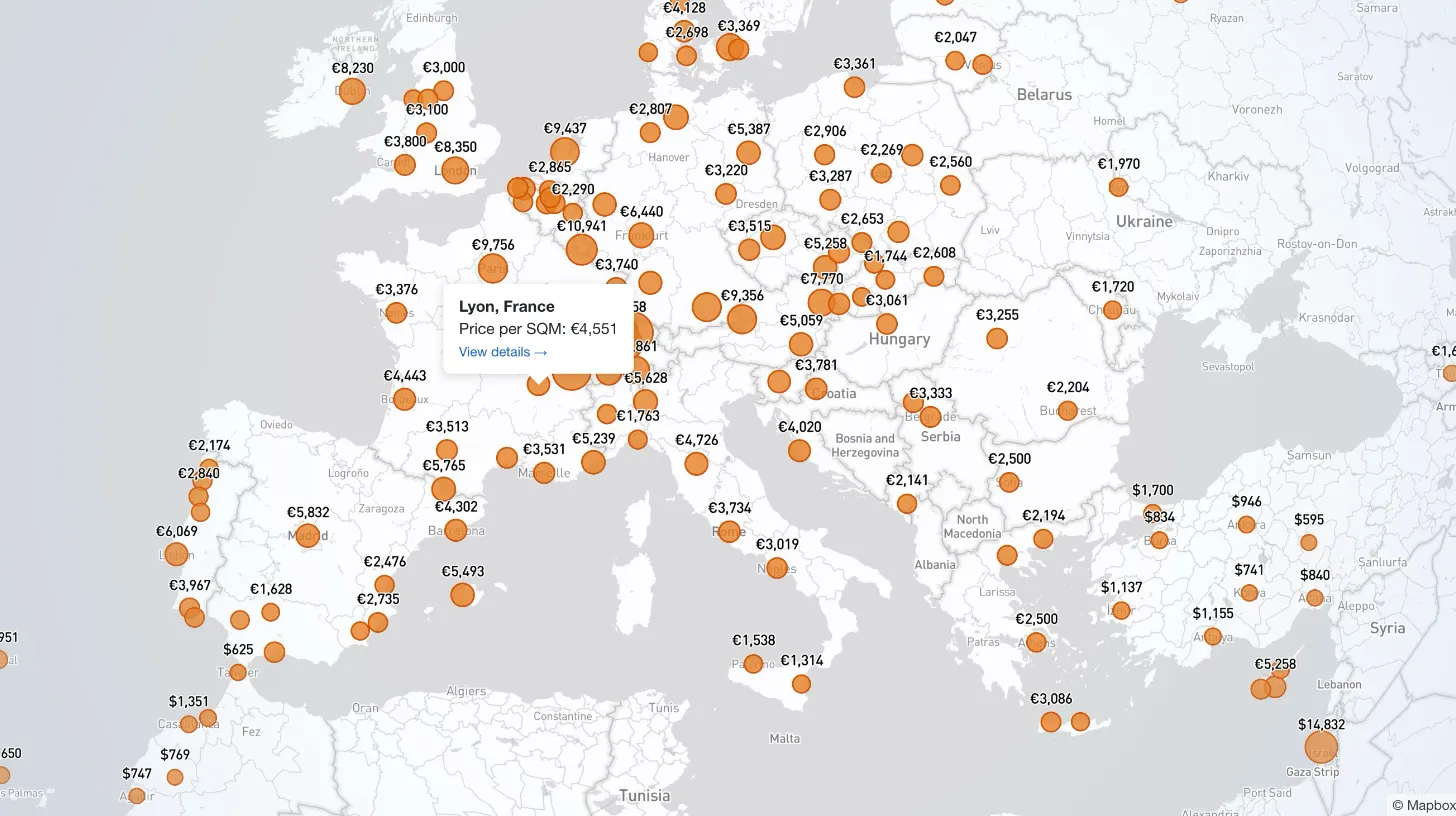
My client publishes real estate data for 80+ countries and wanted a single interactive view that could replace dozens of separate comparison tables. I built a Mapbox GL JS globe with 38+ switchable metrics, bubble and choropleth view modes, city drill-down, currency toggle, and pinned popups that deep-link into the country pages.

Every WordPress dev knows the problem: restore a prod database locally and your browser immediately redirects to the live site. I moved the URL rewrite into MySQL's init hook so it runs automatically on first boot — no manual steps, no redirect loops.

My law firm client's inner pages had no visible author attribution — a real problem for YMYL legal content. I added Schema.org Person microdata to the hero, intentionally bypassed the WordPress author field, and built a per-page ACF toggle for opt-out.

My client's legacy Laravel 5.1 SaaS needed modernization across payments, search, and mapping — all on a codebase that cannot be upgraded without breaking dependencies. I overhauled all three layers in two weeks, without a rewrite and without a database migration.