How I Built a Custom Booking System for a Bangkok Luxury Spa
Rol Torralba
February 17, 2026
9 min read
My client runs a luxury wellness sanctuary in Bangkok. They needed a custom booking system that handles couple spa packages, Thai payment methods, and runs entirely on the edge, embedded naturally within their existing Webflow site. Here's how I built it.
My client is a luxury wellness and spa center in Bangkok. They had a beautiful Webflow marketing site, but when it came to bookings, they were stuck. Off-the-shelf scheduling widgets couldn't handle their couple spa packages, treatments where two therapists work simultaneously in the same room. They also needed Thai payment methods like PromptPay QR and mobile banking, and the entire booking experience had to feel like a natural extension of their premium brand. I was brought in to build a custom booking system that solved all of these problems, and it needed to run on Cloudflare Workers, which meant no Node.js.
Key Takeaway ✅
Client requirements, including simultaneous couple bookings, Thai payment methods, and premium brand standards, couldn't be patched onto an off-the-shelf widget. A custom booking system eliminated the workarounds and gave the spa full control over the guest experience.

The booking system bridges Acuity Scheduling and Beam Checkout into a single smooth experience
When I first assessed what my client needed, three constraints eliminated every off-the-shelf option I considered.
First, the couple booking problem. Their most popular services are couple spa packages: two guests, two therapists, same time slot. Acuity Scheduling, which managed their calendars, uses round-robin scheduling across therapist calendars. That works fine for single bookings. But for couples, the system needed to verify that two calendars were simultaneously available, not just one. Acuity's API didn't make this straightforward, a problem I'd discover was deeper than expected.
Second, Thai payment methods. International payment gateways typically handle cards and maybe PayPal. But in Thailand, most customers pay with PromptPay QR codes, mobile banking, or e-wallets. My client needed Beam Checkout, a Thai payment gateway that supports all of these methods. No existing booking widget integrates with Beam.
Third, the edge runtime. The booking system needed to live at /book on the same domain as their Webflow site, which runs on Cloudflare. That meant my server-side code would execute on Cloudflare Workers, an edge runtime with no Node.js APIs. No process.env, no crypto module, no fs. Every piece of server logic had to work with Web APIs only.
Any one of these constraints would have required customization. Together, they demanded a fully custom booking system.
I built the booking system as a server-rendered Astro SSR application deployed on Cloudflare Workers, mounted at /book within their existing Webflow domain. The system walks guests through four steps: selecting a service, choosing a date and time, filling out a health intake form, and completing payment. Behind the scenes, it orchestrates two completely separate APIs, Acuity for scheduling and Beam for payments, through a centralized proxy layer I designed to handle authentication, error translation, and debugging. This scheduling API integration required careful coordination between systems that were never designed to work together.
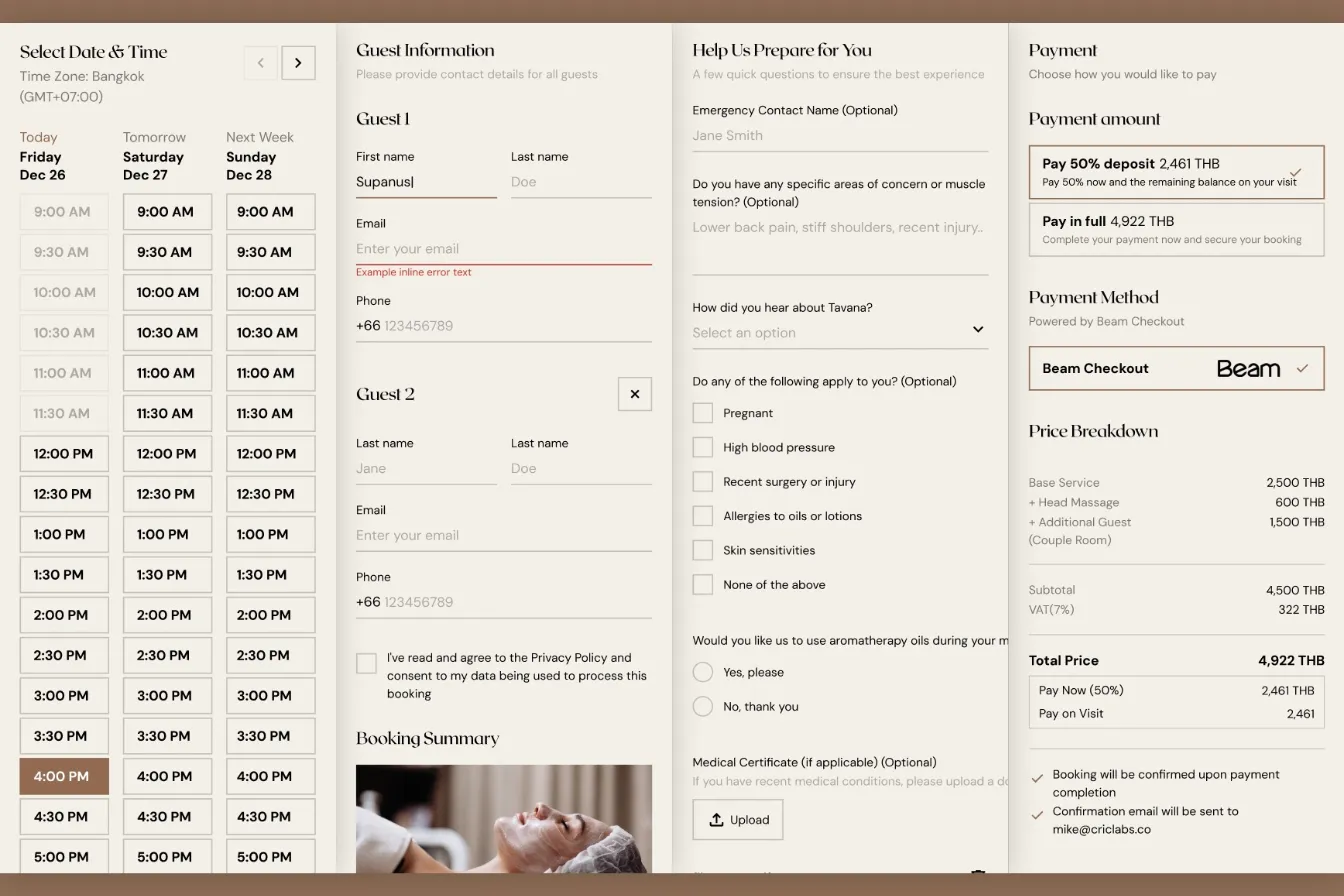
The 4-step booking wizard architecture, from service selection through payment confirmation
Here's how I solved each major challenge.
This was the most technically interesting challenge of the entire project. Acuity's API returns a field called slotsAvailable for each time slot. Naturally, I assumed this was a count, that slotsAvailable: 2 meant two calendars were free and slotsAvailable: 1 meant only one was available.
It's not a count. It's a boolean flag disguised as a number.
slotsAvailable: 1 means "at least one calendar has this slot free." It could be one calendar. It could be five. The API doesn't tell you. This is undocumented behavior. I only discovered it after testing revealed couple bookings being allowed when only a single therapist was available.
To solve this, I built a per-calendar availability system that queries each therapist calendar individually using Promise.all, then counts the actual number of free slots. On top of that, I implemented three independent guards to prevent double-booking:
| Guard Layer | Where It Runs | What It Does |
|---|---|---|
| UI Guard | Browser (Step 1) | Disables the "Additional Guest" addon when fewer than 2 calendars are free |
| Pre-Payment Guard | Server (Step 3) | Re-verifies availability before showing payment options. Catches changes since Step 1 |
| Server Guard | API endpoint | Final check before creating the payment link. Returns HTTP 409 Conflict if slots dropped |
Warning ⚠️
In the booking system, Acuity'sslotsAvailablefield looked like a count but behaved as a boolean, a distinction that would have allowed double-booked therapist pairs without the per-calendar guard system I built. I only caught this through real-world testing, not documentation.
I also made a deliberate modeling decision: instead of creating separate appointment types for "single" and "couple" bookings in Acuity (which would have doubled the calendar management work for the spa staff), I modeled the couple option as an "Additional Guest" addon. When a guest selects it, the system triggers the per-calendar availability check. This kept Acuity's admin interface clean while handling the complexity in my code.
The payment integration for web app required Beam Checkout on Cloudflare Workers, which meant every standard Node.js approach was off the table. This edge computing constraint shaped every technical decision. Webhook signature verification, critical for confirming legitimate payment callbacks, typically uses Node's crypto.createHmac(). I couldn't use it.
Instead, I implemented HMAC-SHA256 verification using the Web Crypto API:
crypto.subtle.importKey() to load the signing secretcrypto.subtle.sign() to compute the signatureFor environment variables, I created a centralized getEnv() helper that reads from locals.runtime.env, Cloudflare's runtime context, since process.env doesn't exist at the edge. HTTP Basic Auth for the Beam API used btoa() instead of Node's Buffer.from(). Every API route exports prerender = false to ensure dynamic runtime execution.
Pro Tip 💡
While building the booking system, I caught thatreact-dom/server.browserusesMessageChannel, which is unavailable on Cloudflare Workers, so I switched toreact-dom/server.edgeearly. Auditing every dependency for Node.js API usage before deploying to edge computing environments saved me from painful production debugging.
The result: sub-50ms API response times at the edge, with full payment processing supporting cards, installments, e-wallets, mobile banking, and PromptPay QR.
Traditional booking systems create the appointment first, then collect payment. This creates ghost appointments, calendar slots blocked by users who never complete checkout. For my client's operations, with limited therapist availability and services priced up to 15,000 THB, phantom bookings could prevent real customers from booking their preferred times.
I flipped the flow. When a guest clicks "Proceed to Payment," my system creates only a Beam payment link. The full booking data is stored in sessionStorage. The guest is redirected to Beam's hosted checkout page. Only after they return to the success page, and my server verifies the charge with Beam's API, does the system create appointments in Acuity.
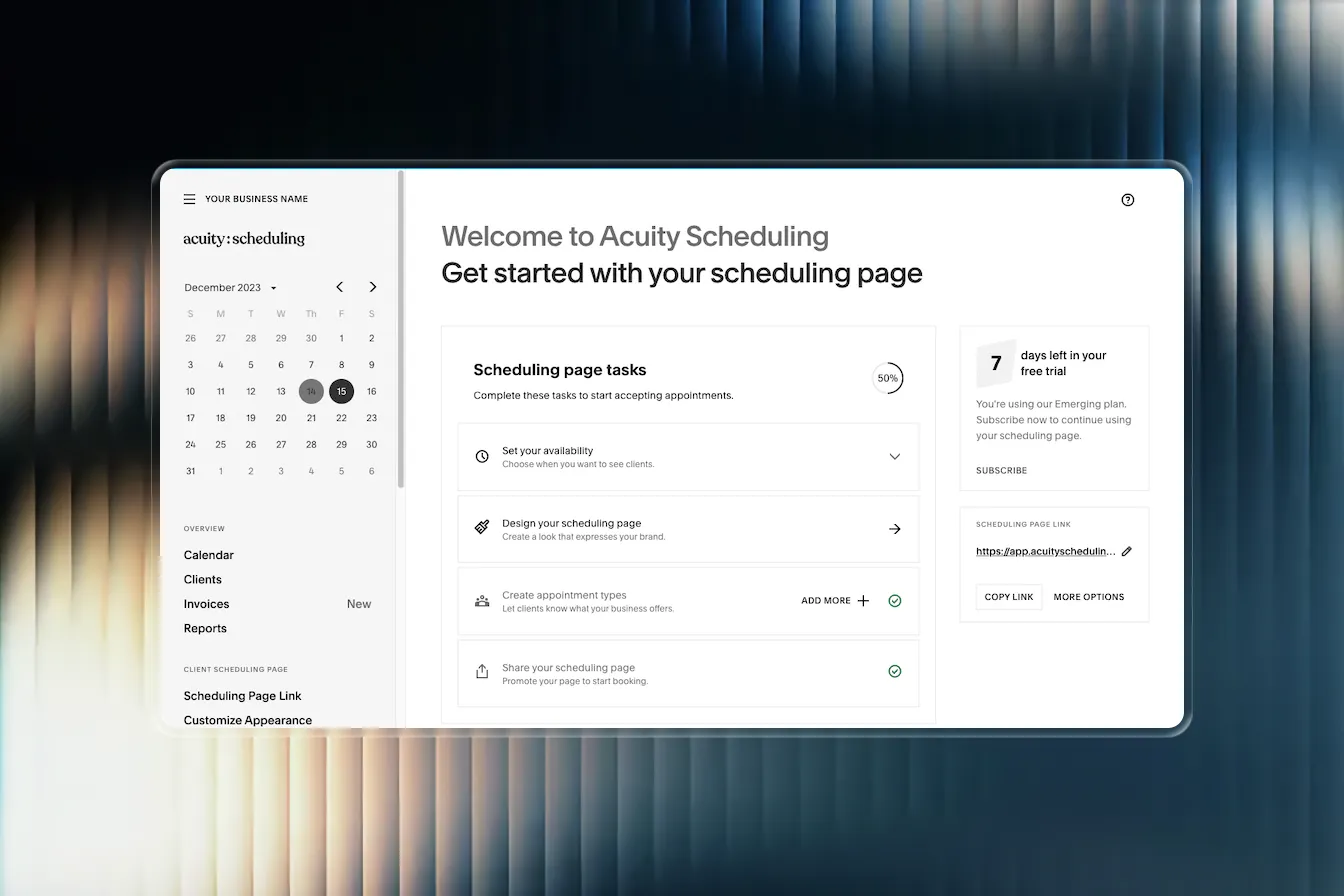
Payment-first architecture eliminates ghost appointments that block calendar availability
For couple bookings, appointments are created sequentially with cross-reference IDs embedded in the notes, so spa staff can easily see which bookings are paired. I also built a separate cash payment path for walk-in guests that creates appointments immediately without the payment verification step.
One edge case I had to handle: Beam doesn't always return a chargeId in the redirect URL. My confirmation endpoint falls back to searching by referenceId when the direct charge lookup fails, a resilience pattern that has already caught real edge cases in production.
Standard calendar widgets show a monthly grid. For the spa services with sparse availability across multiple therapists, that means guests scroll through mostly empty weeks. My client wanted guests to immediately see when they could book, not wade through blank calendars.
I built a 3-column date picker that shows the next three available dates side by side. Time slots are fetched in parallel for all three dates, then aligned into a unified grid. If a time exists on one date but not another, the missing slot shows as "unavailable," giving guests a clear visual comparison. Booked appointments appear grayed out for context, so guests can see popular times even if they're taken.
The calendar progressively loads future months as guests navigate forward, stopping after three consecutive months with no availability. Smart labels display "Today," "Tomorrow," "This Wednesday," or "Next Monday" instead of raw dates.
Key Takeaway ✅
The calendar needed to answer the question guests actually have: "When can I book?" A standard monthly grid answers a different question: "What does this month look like?" By showing the next three available dates with aligned time slots, I gave guests instant clarity instead of empty calendar frustration.
The finished booking system handles services ranging from 990 to 15,000 THB, supporting both single and couple treatments. Here's what the project delivered:
| Metric | Result |
|---|---|
| API response times | Sub-50ms at the edge |
| Ghost appointments | Zero. Payment-first architecture eliminated them |
| Double-booked therapists | Zero. 3-layer guard system prevents couple booking conflicts |
| Payment methods supported | Cards, installments, e-wallets, mobile banking, PromptPay QR |
| Development timeline | 3 weeks, 57 commits from first commit to production |
| Node.js dependencies at runtime | Zero. Pure edge-native execution |
The booking experience feels like a native part of the Webflow marketing site. Same fonts, same colors, same smooth-scroll behavior, same brand energy. Guests move from browsing treatments to completing a booking without any jarring transitions. The spa staff manages everything through Acuity's existing admin interface, so there are no new tools to learn.
For development and ongoing maintenance, I built a dual debug mode system with independent mock modes for both APIs. The entire booking-to-payment flow can be tested locally without API credentials or real charges, which means future updates can be developed and verified safely.
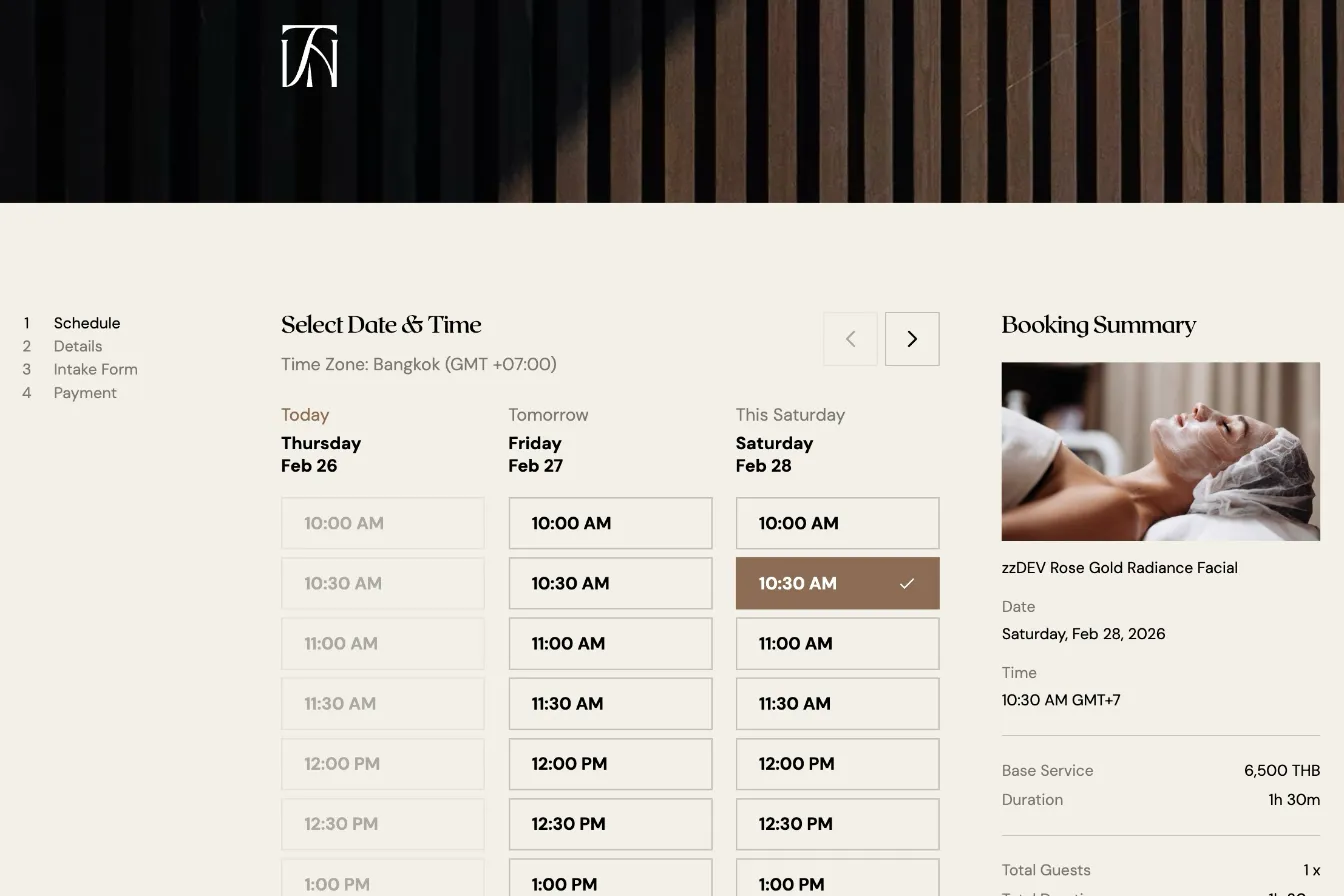
A stable, edge-native booking system built to handle the complexity of luxury spa scheduling
This project reinforced something I've seen across many client engagements: the gap between what an API says it does and what it actually does is where the most important engineering happens. The slotsAvailable field that wasn't a count, the payment redirect that sometimes omits the charge ID, the edge runtime that looks like Node.js but isn't. Each of these required investigation, defensive coding, and architecture decisions that no off-the-shelf widget could have handled. When a business has unique requirements, custom systems built with care don't just solve the immediate problem. They eliminate entire categories of future issues.
Find out what's slowing your site down, where the security gaps are, and what you can improve. Takes 30 seconds to request.
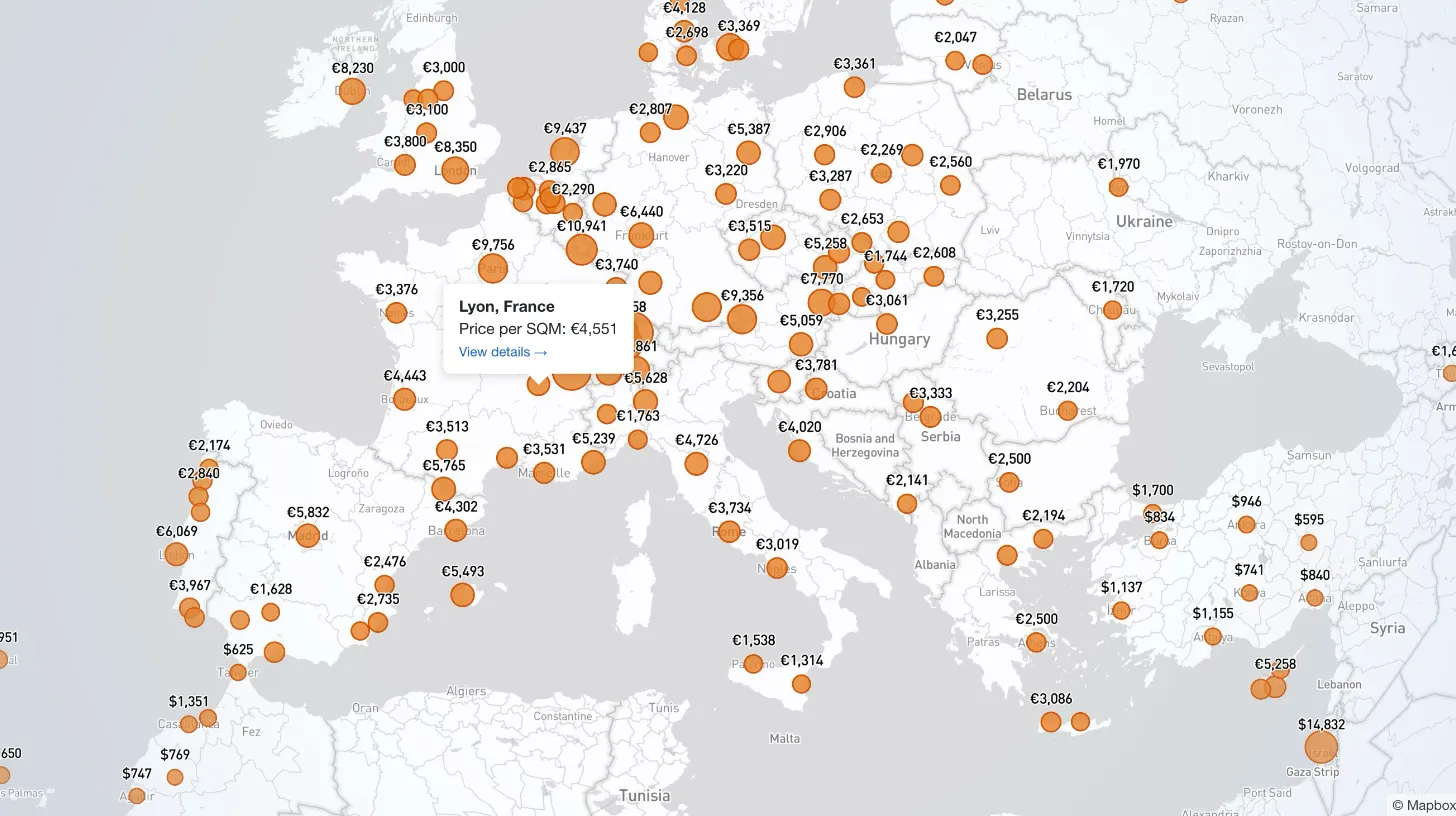
My client publishes real estate data for 80+ countries and wanted a single interactive view that could replace dozens of separate comparison tables. I built a Mapbox GL JS globe with 38+ switchable metrics, bubble and choropleth view modes, city drill-down, currency toggle, and pinned popups that deep-link into the country pages.

Every WordPress dev knows the problem: restore a prod database locally and your browser immediately redirects to the live site. I moved the URL rewrite into MySQL's init hook so it runs automatically on first boot — no manual steps, no redirect loops.

My law firm client's inner pages had no visible author attribution — a real problem for YMYL legal content. I added Schema.org Person microdata to the hero, intentionally bypassed the WordPress author field, and built a per-page ACF toggle for opt-out.

My client's legacy Laravel 5.1 SaaS needed modernization across payments, search, and mapping — all on a codebase that cannot be upgraded without breaking dependencies. I overhauled all three layers in two weeks, without a rewrite and without a database migration.